PandaPurity Clean: Practical Android tool for reclaiming storage and system health
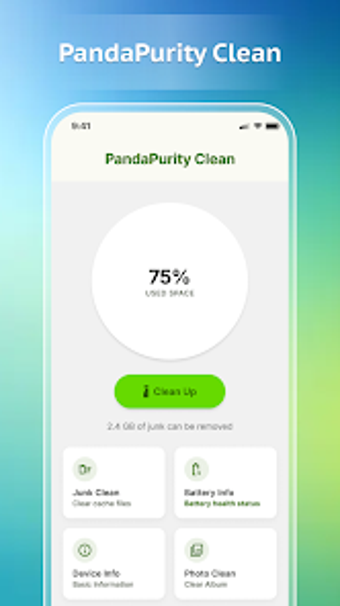
PandaPurity Clean, developed by Code Motive, is a maintenance app that helps Android devices remove junk and manage storage. It scans storage to locate unnecessary files, finds large items, provides photo and media organisation aids, and shows basic battery and hardware statistics to present a device health snapshot. A clear dashboard, an app management view, and a dedicated large-file finder let users review and delete files with minimal navigation. It suits Android owners who want a simple way to free storage and monitor basic system health.
How the app gains access to files and why that matters
PandaPurity requires the All files access (MANAGE_EXTERNAL_STORAGE) permission on supported Android versions, which enables thorough scanning across internal and external storage. That permission is a prerequisite for core functions, so granting it lets the tool index files across partitions and present a unified storage picture. Because this is a broad consent, users should understand that the app can read all accessible files before initiating a full scan.
What users should expect during a storage scan
Store listing notes and feature descriptions indicate the tool performs device-wide scans when permitted, so scan duration depends on total file count and storage size rather than fixed timings. The app is distributed through the official app store and has received recent updates, which suggests active maintenance; however, the listing does not publish specific CPU or memory figures to quantify system load during scans.
Is it safe to use from a privacy and traceability standpoint?
The developer presents the tool as privacy-focused and states that no user data is shared with third parties, a claim shown on the store listing. Practical safety factors include the required permission and the app’s traceability: the developer is Code Motive, associated with KAS CUPI BUILDERS LTD, and support presence is listed in the United Kingdom. Key points:
- Permission: MANAGE_EXTERNAL_STORAGE required for core functionality.
- Privacy claim: store listing states no third-party sharing.
- Developer trace: legal entity and support location provided.
Who can operate the tool and what care is required
The dashboard is described as clear and simple, so casual device owners can run scans and inspect results without configuring complex rules. Because the tool can remove files once it identifies them and because broad storage access is required, users should review suggested items before deletion. People comfortable managing permissions and confirming deletions get the most practical benefit from this maintenance utility.
Practical choice for hands-on storage maintenance
The app is a practical option for Android owners who need a low-friction way to identify and remove clutter, provided they accept granting wide file access. That requirement increases the responsibility around deletions and permissions. For users willing to review results and manage access, the tool performs as a local maintenance utility with clear provenance and active updates. Recommended.